
Crossword2.3 - AppGallery
You'll be able to see results in few seconds.
Publisher Description

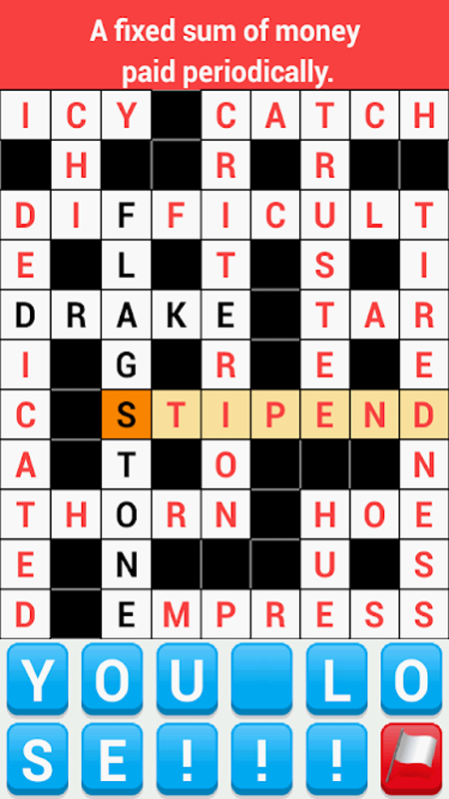

Hundreds of free Crossword Puzzles!
Solving crosswords is like mental yoga — both challenging and relaxing at the same time. Plus, it’s fun, especially if you appreciate word games and wordplay. So let’s get solving! Download "Crossword Puzzles" now and join the tens of thousands of crossword enthusiasts!
Features:
• Crossword puzzles - free.
-- All users get access to all crosswords, no subscription and no hidden fees.
-- Free unlimited hints.
• Hundreds of crosswords.
With more than 7000 unique clues from a wide range of topics, this app will boost your brain health and keep you entertained!
• Works offline.
All crosswords are available even when there is no Internet connection.
• Optimized for phones and tablets.
Convenient and modern interface. Smooth zooming, clear text, easy to read layout.
Solving crossword puzzles on regular basis has many benefits:
• They boost your vocabulary and general knowledge
• They are great for improving your spelling and logic skills.
• Crosswords help kids learn with game-based learning.
• They give you a successful experience and improve performance at work.
• Crosswords are just pure fun!
About Crossword
The company that develops Crossword is Haitam Baid. The latest version released by its developer is 2.3.
To install Crossword on your Huawei device, just click the green Continue To App button above to start the installation process. The app is listed on our website since 2020-08-27 and was downloaded 0 times. We have already checked if the download link is safe, however for your own protection we recommend that you scan the downloaded app with your antivirus. Your antivirus may detect the Crossword as malware as malware if the download link to C102788793 is broken.
How to install Crossword on your Huawei device:
- Click on the Continue To App button on our website. This will redirect you to Huawei Store.
- Once the Crossword is shown in the Huawei Store listing of your Huawei device, you can start its download and installation. Tap on the Install button located below the search bar and to the right of the app icon.
- A pop-up window with the permissions required by Crossword will be shown. Click on Accept to continue the process.
- Crossword will be downloaded onto your device, displaying a progress. Once the download completes, the installation will start and you'll get a notification after the installation is finished.
Program Details
System requirements
Download information
Pricing
Version History
version 2.3
posted on 2020-08-27
Disclaimer
Official AppGallery Link
We do not host Crossword on our servers. We did not scan it for viruses, adware, spyware or other type of malware. This app is hosted by Huawei and passed their terms and conditions to be listed there. We recommend caution when installing it.
The AppGallery link for Crossword is provided to you by apps112.com without any warranties, representations or guarantees of any kind, so access it at your own risk.
If you have questions regarding this particular app contact the publisher directly. For questions about the functionalities of apps112.com contact us.
